
grid_view
Prompt Builder
Build image, video, character, music and motion-control prompts by picking cinematic cards — camera, lens, light, mood. No prompt-writing skills needed. Free forever, no license required.
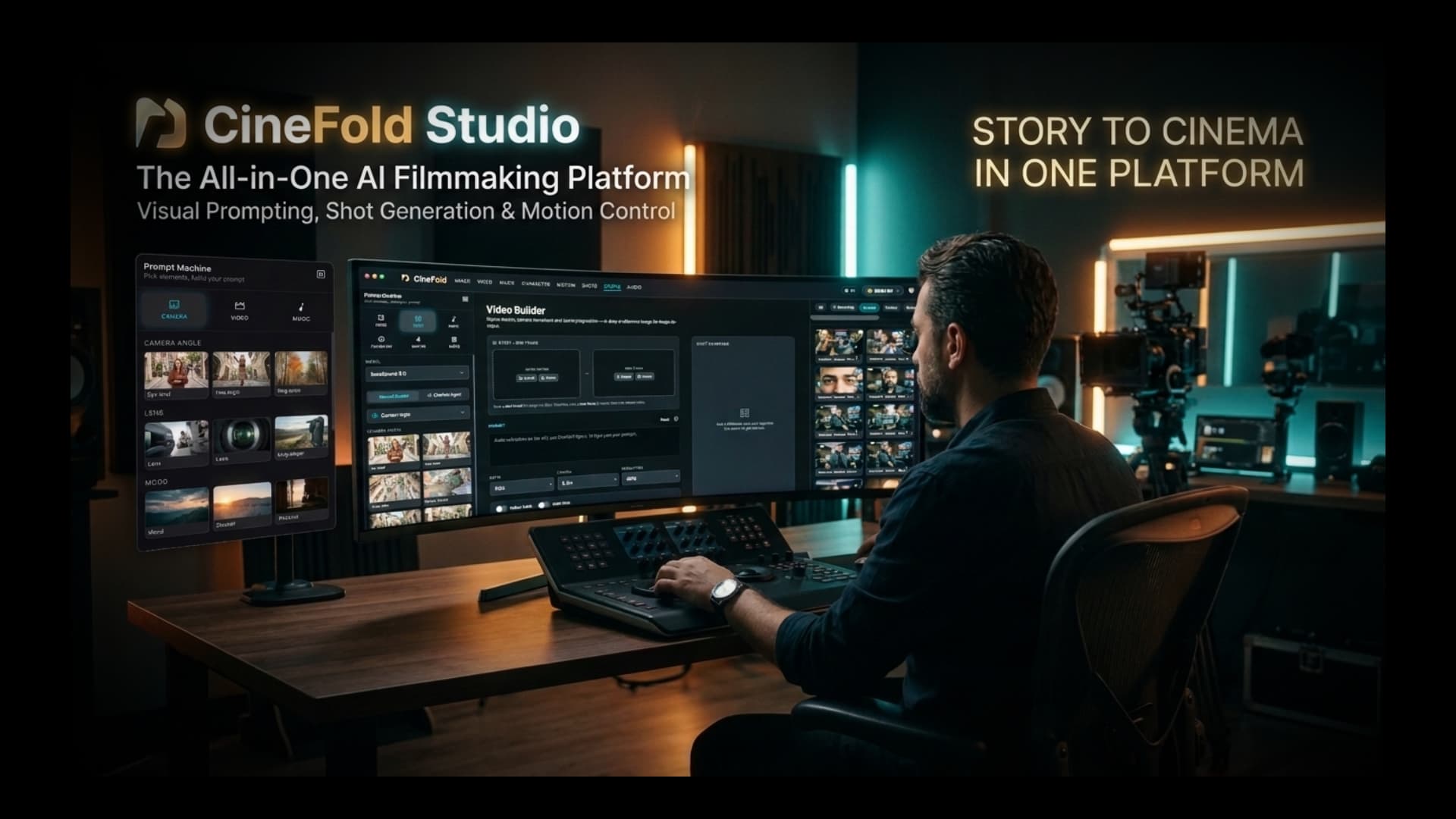
Generate scenes with the best AI models, continue any shot, edit with one sentence, split any song and finish with cinema-grade sound — on your own computer. Start free: AI images with your own free Cloudflare account.
Free download · Prompt Builder free forever · Get a license for the full studio
Windows may show a warning during setup: More info → Run anyway. Digital signature coming soon. Windows install guide →
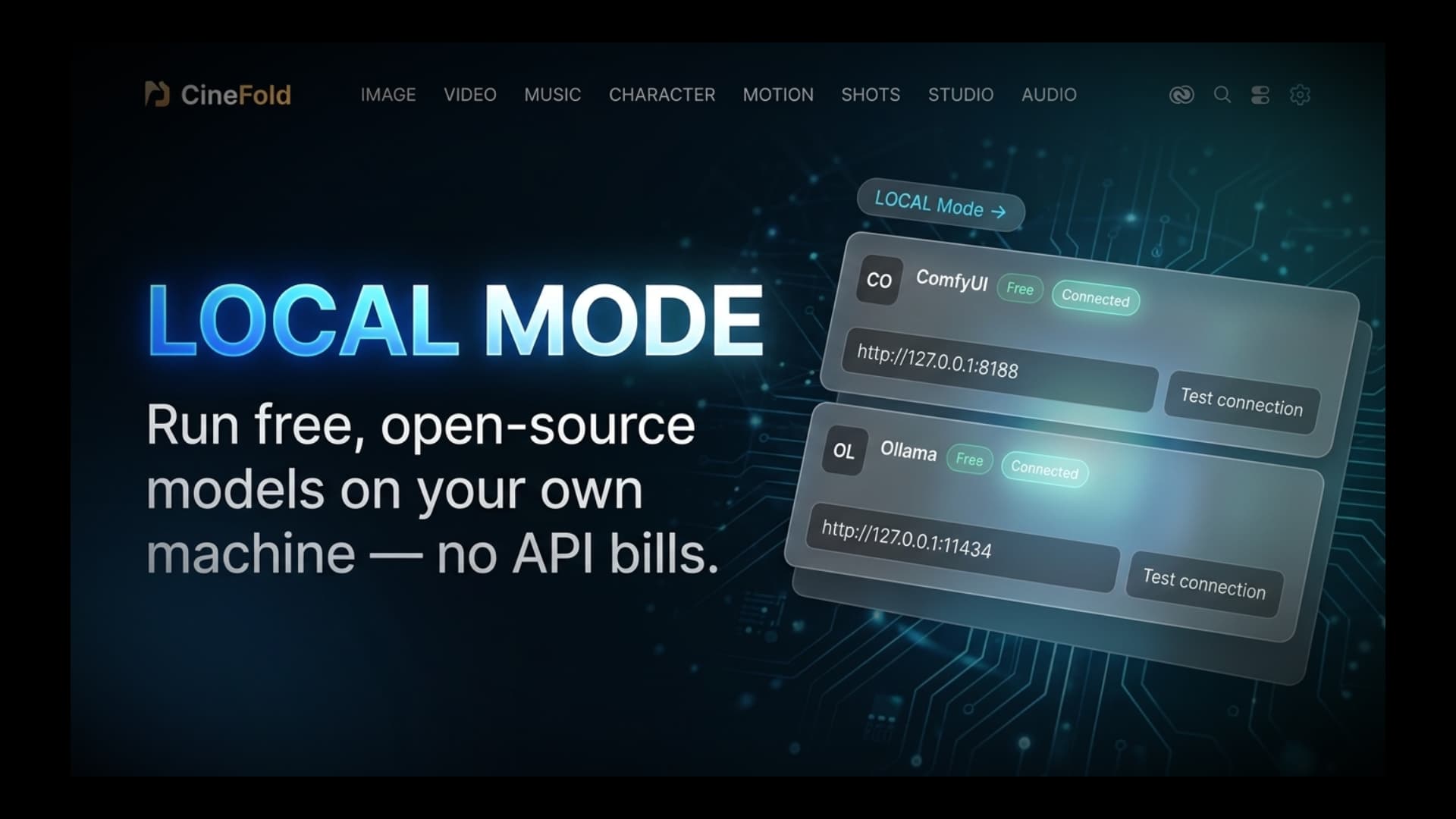
Connect your local ComfyUI / Ollama — local generation runs on your computer with no API cost (Pro license).
Powered by AI
From the first shot to the final mix — AI does the heavy lifting, you stay in control.

Type “Turn this into a 60s vertical Short” and the timeline builds itself.

Generate AI images free — about 90 a day with your own free Cloudflare account. No credit card.

Pick any frame and continue the scene from there.

AI fills the gap between two clips with a new scene.

Keep the same characters and elements across scenes with your saved references.

Ambience and foley that match what's on screen.

Split any song into vocals, drums, bass, piano and other — on your computer.

Balance dialogue, music and effects and master the mix in one click.

99 languages with professional line-break and timing rules.

Remove pauses and filler words in one click.

Video, image, voice and music models in one place — connected with your own provider keys.
Works withfal.ai · Replicate · OpenAI · Anthropic Claude · Google Gemini · ElevenLabs · Runware · WaveSpeedAI · Groq · OpenRouter · Cloudflare
AI generation runs on your own provider keys — you pay providers directly, no markup. Local tools run on your computer at no API cost.
New: free video editor
Cut and combine clips, export as a Short or a film (720p–4K, H.264 / HEVC). Everything runs on your computer.

Multiple video tracks (picture in picture), audio and text.
Fast, frame-accurate cutting.
Pull the sound off any clip and edit it on its own.
First 2 text styles free; advanced styles and text animations with Pro.
Crossfade and fade to black free; all other transitions with Pro.
First 2 LUTs free; all LUTs and .cube import with Pro.
First 8 stickers and 2 templates free; the full set with Pro.
Brightness, contrast, saturation and preset filters.
Animate position, scale, rotation and opacity.
Key out backgrounds.
On your computer, in 99 languages, styled and timed.
Free: 720p with a watermark. Pro: 1080p and 4K without watermark.
Free exports go up to 720p with a watermark. Try any Pro tool in the preview — exporting it needs a one-time license.
Faster editingFree
Hover the timeline and the preview shows that frame (S).
Mark a range with I / O — export just that part or run tools on it.
Drag panels to resize; drop a clip between tracks to create a new track.
A “?” panel on every tab, provider info cards and “Which provider should I start with?” in the API Center.
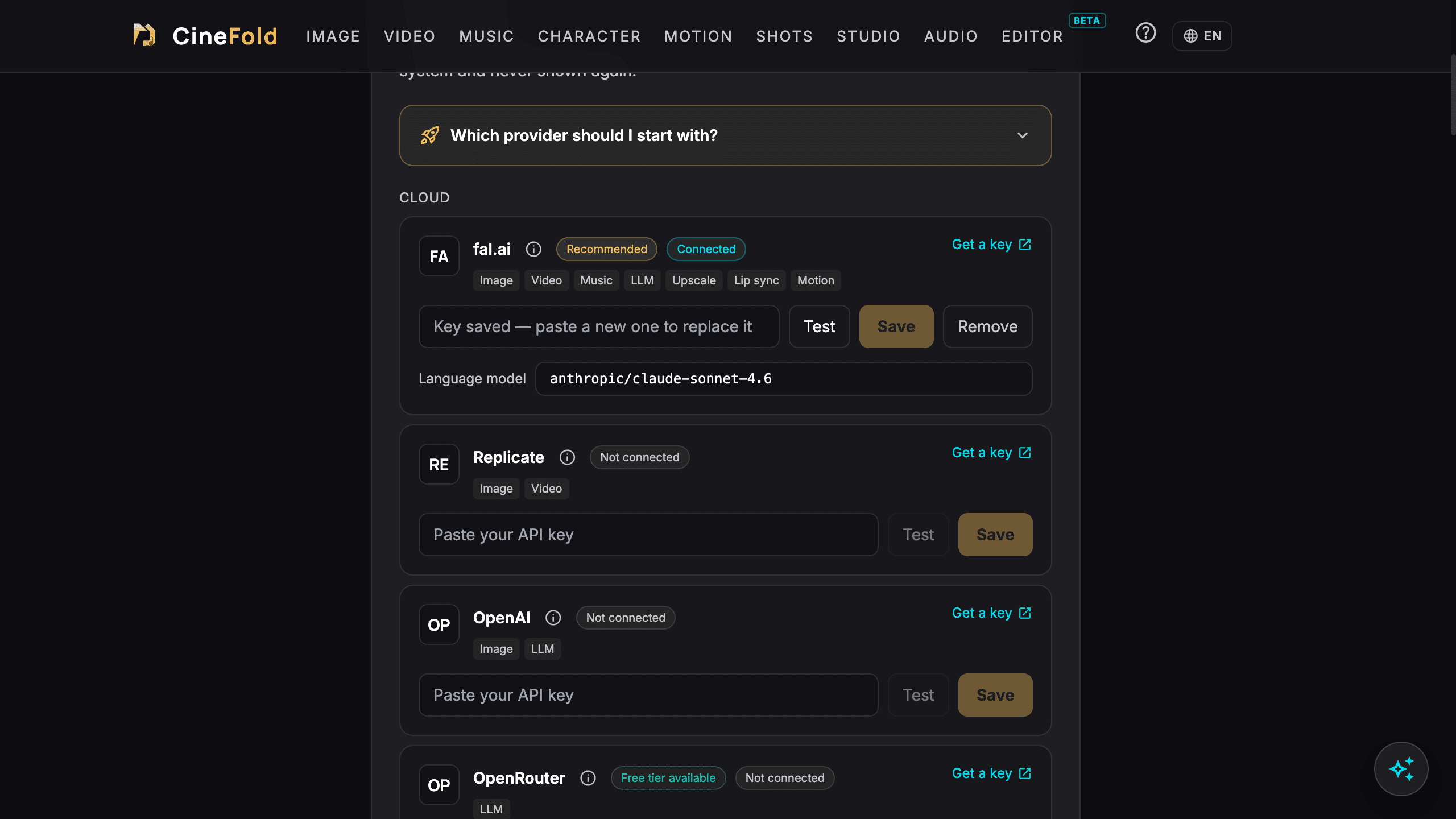
API Center
Provider info cards and “Which provider should I start with?”.
AI Editor (beta)Pro
Ask in plain words. Works with your own Claude, Gemini or OpenAI key: the result is a preview first, Apply is a single undo step, and you see an estimated cost and a limit before it runs.
Pro feature · estimated cost and a limit before every run · 1 free trial on a project up to 30 s

Generate from framePro
Make a video or image from any frame, with reference images and your saved characters — right inside the timeline. Regenerate, variation and extend are one click away.

Pick any frame and continue it as a video or image — with reference images and saved characters.

Pick an end frame and a start frame — CineFold generates the scene in between.
Match colors to the first part Free
When you continue a shot part by part (Extend, or from its last frame), contrast, color and sharpness no longer drift. On by default; removable per clip in Properties.
Reliable generations
Switch tabs, minimize the window or close the app — the generation keeps going. Follow it in the Generations indicator in the top bar, get a notification when it's done and find the result in your Library. If the app was closed it's picked up on the next start; if the connection drops it keeps being checked — never charged twice. Only Cancel stops a generation.
Instrument separationPro
Vocals + music, or vocals / drums / bass / (piano) / other — on your computer, in seconds. In the editor each part lands on its own track; in Audio Studio the parts are saved to your Library as WAV.
Without a license you can try it once on a 30-second section.

Sound mix
Track roles Free
Give audio tracks a role — Dialogue, Music, Effects, Ambience — and “Sort sounds” moves clips to the right tracks.
Cinema mix & stem export Pro
Per-role processing, Cinema / YouTube / Podcast / Social master presets with measured loudness and a peak limit, one-click cinema mix, before / after listening and stem export (Dialogue / Music / Effects / Ambience + full mix WAV).

Audio tools
Noise removal Free + Pro
Basic noise removal free; AI noise removal with Pro.
Music ducking Pro
Music dips automatically under speech.
YouTube loudness Pro
One click to −14 LUFS.
Cut silences and filler words Pro
Removes the pauses and the ums.
Generate audio from video Pro
Foley, ambience or ASMR from the picture of a clip or a selected range — with your own fal.ai or WaveSpeedAI key. Compare 1–4 variations, then replace the original audio or mix it in.
Without a license, each Pro audio tool can be tried once on a 30-second section.

SubtitlesPro
Auto captions with the on-device engine in 99 languages — or your own OpenAI / Groq key. Important-word highlight and SRT export.
Professional subtitle rules: max 2 lines, readable speed, timed to speech — no walls of text.

Everything in one app
Every CineFold tool, running on your machine, with your own providers.
Build image, video, character, music and motion-control prompts by picking cinematic cards — camera, lens, light, mood. No prompt-writing skills needed. Free forever, no license required.
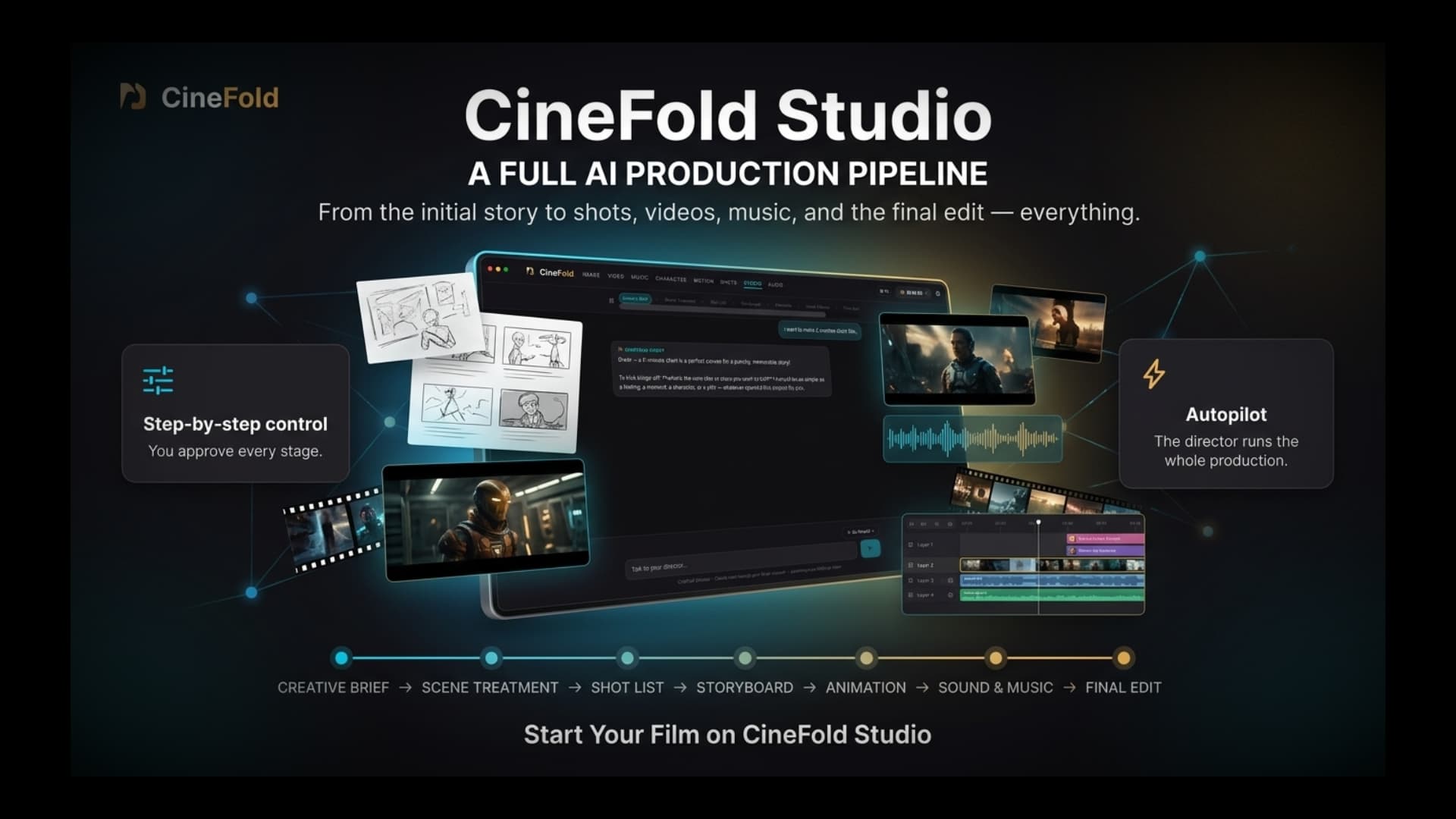
Go from a one-line idea to brief, treatment, shot list, storyboard, animation and sound — approve every step, or let it run on autopilot.
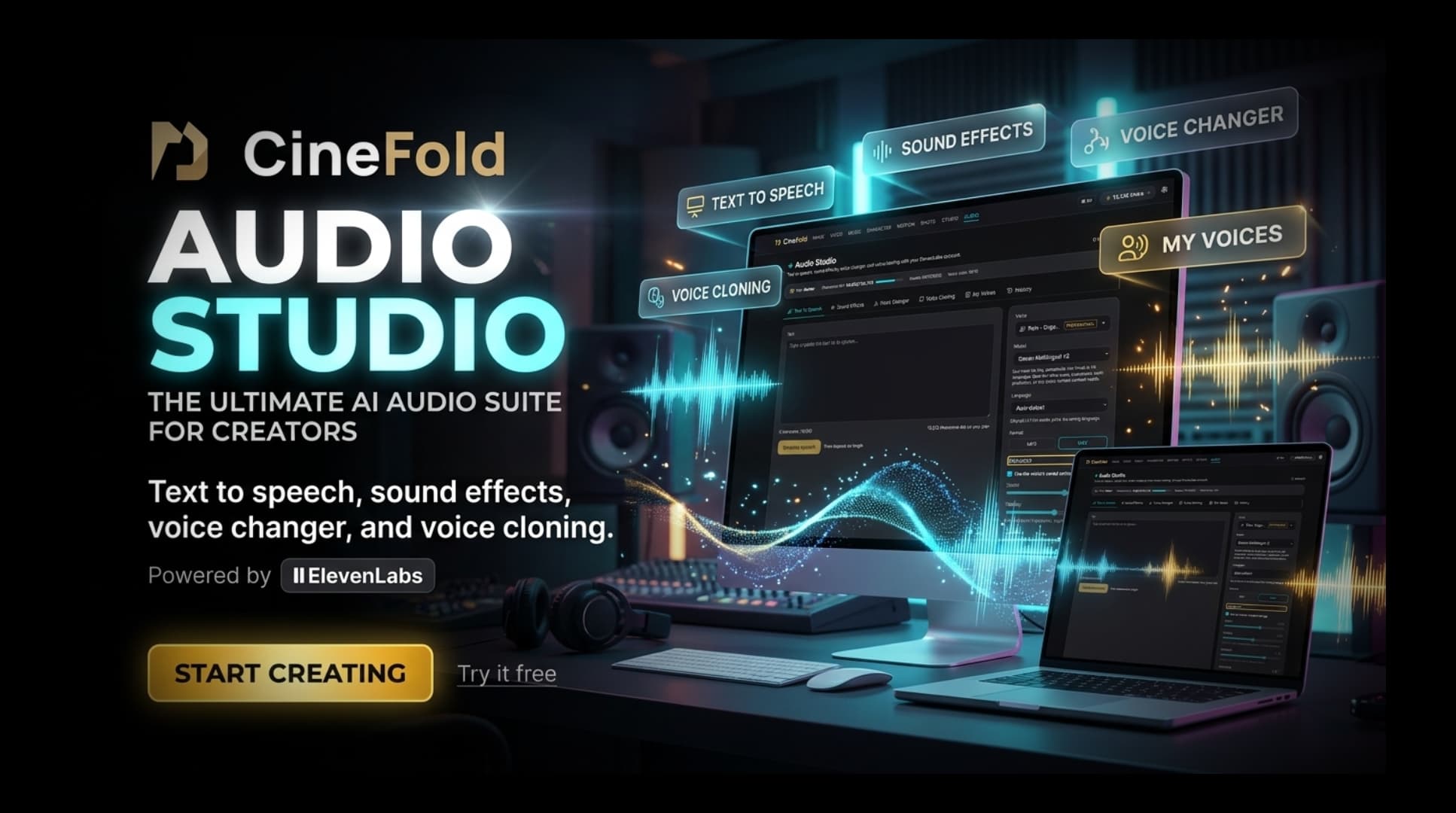
Text-to-speech, sound effects, voice changer and voice cloning in one place.
Connect the providers you already use. Keys are encrypted by your operating system and never leave your computer.
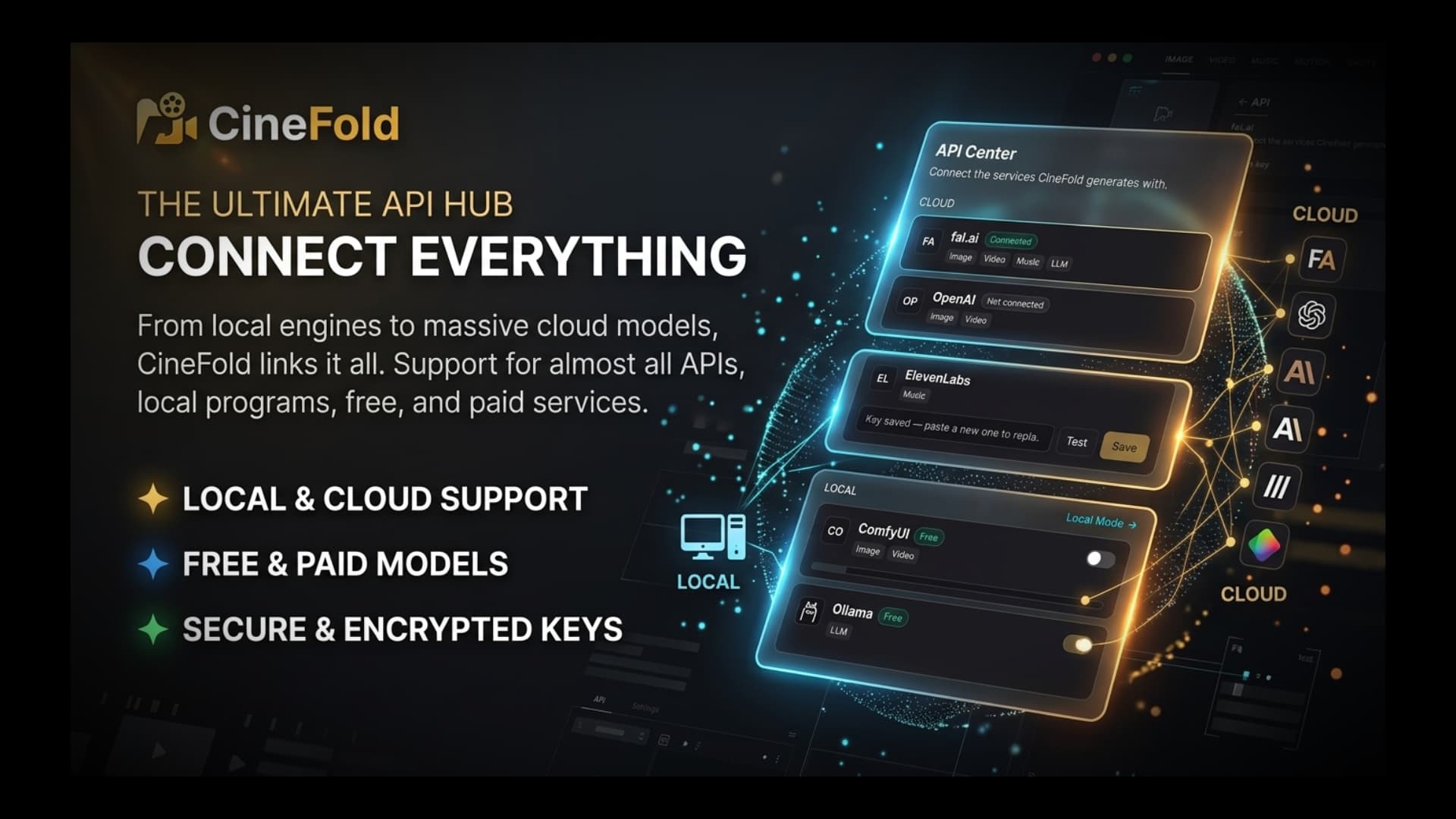
Connect your local ComfyUI / Ollama — local generation runs on your computer with no API cost (Pro license).
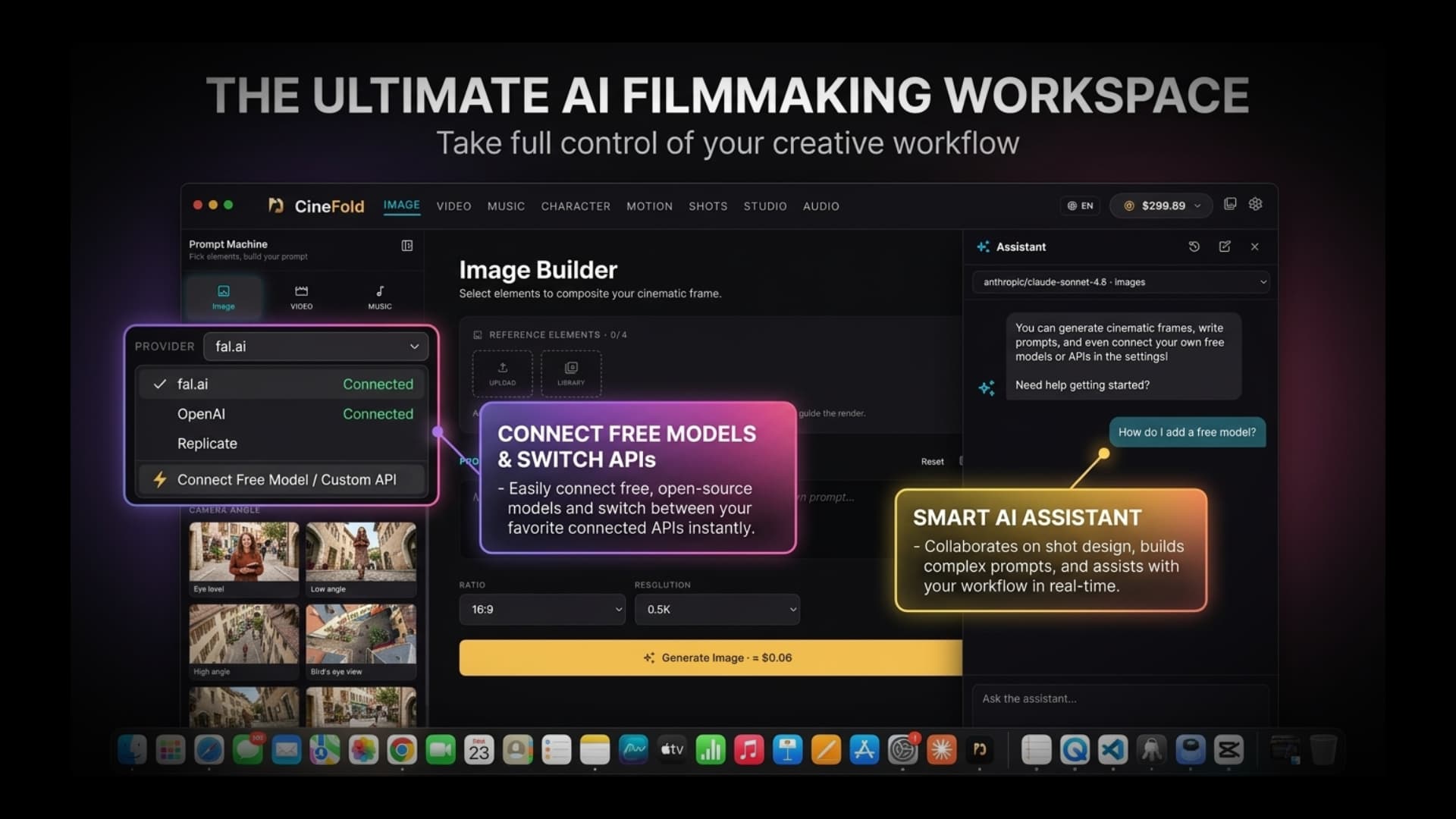
Get help with prompts, models and settings without leaving the app. Pick the agent model in the top-right menu — Gemini Flash (free tier), Claude or Cloudflare Llama.
Tutorial
Watch a full AI film come together, from the first idea to the final export, inside one app.
Watch "The Last Door", a full short film made entirely in CineFold — then learn the whole workflow: setup, characters, storyboard, video, music, the AI Editor, subtitles and the final mix.
Chapters
Bring your own keys — or run models locally.
Product names and logos are trademarks of their respective owners. Listing them does not imply any partnership or endorsement.
Privacy
Projects, media and exports never leave your machine — unless you choose to send a clip to an AI provider.
Your API keys are stored encrypted on your computer and sent only to the provider you choose — we never see them.
Pay once for the license; AI usage is billed directly by the providers you connect.
Connect your local ComfyUI / Ollama — local generation runs on your computer with no API cost (Pro license).
Install CineFold Desktop on your Mac or Windows PC and sign in with your account — if you bought with the same email, your license turns on automatically.
Add an API key from a provider you already use — or download a free local model.
Generate images, video, music and voice. Everything is saved in your local library.
No subscription, no credits.
CineFold Desktop
$149One-time payment
Pay once. Yours forever.
Launch offer: $30 off with code LAUNCH30 — first 100 buyers
Only one code can be used per checkout.
With 1.1 the price is $149; existing license holders get 1.1 free (all 1.x updates are included).
Secure checkout · encrypted connection
You pay on Stripe's secure checkout page. Stripe is a PCI DSS Level 1 certified payment provider — your card details never reach CineFold.

AI generation fees are billed by the providers you connect — they are not included in the price. Connect your local ComfyUI / Ollama — local generation runs on your computer with no API cost (Pro license).
Free vs Pro
Download free and use the editor, the builders and free AI images without a license. Pro unlocks everything below with a one-time payment.
| Feature | Free$0 · no license | Pro$149 one-time |
|---|---|---|
| Generation builders | ||
| Prompt Builder (cards, no AI) | check | check |
| AI images in Image Builder with your own free Cloudflare account (FLUX.2 klein 4B, Flux Schnell) | Up to 1024 px + watermark | No watermark · up to 4 reference images (FLUX.2 klein 4B) |
| Other image models, Video and Music builders | — | check |
| Image generation on the CHARACTER page | — | check |
| Motion Control, Lip Sync, Shots | — | check |
| AI prompt writing, “Shorten with AI” | — | check |
| Custom models | — | check |
| Studio (AI Director) | — | check |
| Assistant (incl. CineFold Agent) | — | check |
| Library, projects, settings, API Center | check | check |
| Editor | ||
| Editing, detach audio, speed 0.05×–100×, basic audio, plain text | check | check |
| Save the frame as an image | 720p + watermark | Project resolution, no watermark |
| Project covers and skim preview | check | check |
| Transitions | Crossfade, fade to black | All |
| Ken Burns | Zoom in / out | + pans |
| Blend modes | Normal, multiply, screen | All |
| Text styles | First 2 | All + text animations |
| LUTs | First 2 | All + .cube import |
| Stickers / templates | First 8 / first 2 | All |
| Color adjustments & filters | — | check |
| Keyframes, green screen (with tone memory), clip animations | — | check |
| Match colors to the first part | check | check |
| Generate from frame, bridge, regenerate / variation / extend | — | check |
| Use Pro tools in a project | Preview only | check |
| Export | ||
| Resolution | 720p + watermark | 1080p / 4K, no watermark |
| AI Editor | ||
| AI Editor (beta, your own key) | 1 trial · project ≤ 30 s | check |
| Audio studio & mix | ||
| Text to speech, sound effects, voice changer, voice cloning | — | check |
| Generate audio from video | — | check |
| Track roles (Dialogue / Music / …) | check | check |
| Noise removal | Basic · AI: 1 trial · 30 s | Basic + AI |
| Vocal / instrument separation | 1 trial · 30 s | check |
| Music ducking + loudness | 1 trial · 30 s | check |
| Cut silences | 1 trial · 30 s | check |
| Cinema mix (role processing, master presets, stem export) | — | check |
| Subtitles | ||
| Auto subtitles | 1 trial · 30 s | check |
| Local (offline) engines | ||
| Connect and test ComfyUI / Ollama, download Ollama models | check | check |
| Local generation (on your computer, no API cost) | — | check |
| License terms | ||
| One-time payment, no subscription | check | |
| 2 devices | check | |
| All 1.x updates free | check | |
| Mac + Windows | check | check |
Free
$0 · no license
Pro
$149 one-time
Prompt Builder (cards, no AI)
AI images in Image Builder with your own free Cloudflare account (FLUX.2 klein 4B, Flux Schnell)
Other image models, Video and Music builders
Image generation on the CHARACTER page
Motion Control, Lip Sync, Shots
AI prompt writing, “Shorten with AI”
Custom models
Studio (AI Director)
Assistant (incl. CineFold Agent)
Library, projects, settings, API Center
Editing, detach audio, speed 0.05×–100×, basic audio, plain text
Save the frame as an image
Project covers and skim preview
Transitions
Ken Burns
Blend modes
Text styles
LUTs
Stickers / templates
Color adjustments & filters
Keyframes, green screen (with tone memory), clip animations
Match colors to the first part
Generate from frame, bridge, regenerate / variation / extend
Use Pro tools in a project
Resolution
AI Editor (beta, your own key)
Text to speech, sound effects, voice changer, voice cloning
Generate audio from video
Track roles (Dialogue / Music / …)
Noise removal
Vocal / instrument separation
Music ducking + loudness
Cut silences
Cinema mix (role processing, master presets, stem export)
Auto subtitles
Connect and test ComfyUI / Ollama, download Ollama models
Local generation (on your computer, no API cost)
One-time payment, no subscription
2 devices
All 1.x updates free
Mac + Windows
AI generation uses your own provider API keys (fal, Google, Anthropic, ElevenLabs…). Provider usage is billed by them, not included in the license. Local features run on your computer with no API cost.
We're bringing CineFold to your phone. Leave your email and we'll let you know when it's ready — nothing else.
Yes. Download CineFold and edit without a license: cut and arrange clips, detach audio, change speed, basic audio and plain text, the first 2 text styles and LUTs, the first 8 stickers and 2 templates, crossfade and fade to black, Ken Burns zoom in / out, track roles and basic noise removal. Free exports go up to 720p with a watermark. You can try Pro tools in the preview; exporting them, 1080p/4K without watermark and the AI features need a one-time license.
Yes — in Image Builder, with your own free Cloudflare account. 1) Sign in at dash.cloudflare.com (free account) and click the Search bar. 2) Type “api tokens” and click “Account API tokens”. 3) Click “Create Token”. 4) Name it (e.g. “CineFold”), click “View all templates” and choose “Workers AI”. 5) Click “Review token”, then “Create Token”. 6) Copy the Account ID and the API Token (it's shown only once) and keep them private. 7) In CineFold: Settings → API Center → Cloudflare Workers AI → paste both → Save → Test. Or follow the in-app “Start free” guide. Then pick FLUX.2 klein 4B (about 90 images a day) or Flux Schnell (about 170). Free images have a small watermark and are up to 1024 px; Pro removes it. The daily amount comes from Cloudflare's free allowance and may change.
Use the Prompt Builder (cards, no AI), free AI images in Image Builder with your own free Cloudflare account (up to 1024 px, watermarked), the editor (720p export with a watermark), your library, projects, settings and the API Center, and connect and test ComfyUI / Ollama. Each Pro audio and subtitle tool and the AI Editor can be tried once on 30 seconds. Other image models, video, music or voice, the CHARACTER page, Studio, the Assistant and local generation need a license.
Everything Pro: AI generation in every builder, Studio and the Assistant, the AI Editor, 1080p/4K export without watermark, every editor tool, the full audio studio and cinema mix, auto subtitles, generate from frame and local generation. It's a one-time payment of $149 — no subscription — for 2 devices, with all 1.x updates free, on Mac and Windows.
No. AI generation uses your own provider API keys (fal, Google, Anthropic, ElevenLabs…), and providers bill you directly for usage — it's not included in the license. Local features run on your computer with no API cost.
CineFold charges nothing per use. The AI Editor runs on your own Claude, Gemini or OpenAI key, so the provider bills you, and CineFold shows an estimated cost and a limit before every run. The AI Editor itself is a Pro feature (1 free trial on a project up to 30 seconds).
It runs on your computer and splits a song into vocals + music, or vocals / drums / bass / (piano) / other, in seconds. In the editor each part lands on its own track; in Audio Studio the parts are saved to your Library as WAV. It's a Pro feature you can try once on 30 seconds.
Give your audio tracks a role — Dialogue, Music, Effects, Ambience (free). With Pro, CineFold processes each role, applies a Cinema / YouTube / Podcast / Social master preset with measured loudness and a peak limit, lets you compare before / after and exports stems (Dialogue / Music / Effects / Ambience + full mix WAV).
Yes, with Pro: “Generate audio from video” makes foley, ambience or ASMR from the picture of a clip or a selected range, using your own fal.ai or WaveSpeedAI key. Compare 1–4 variations, then replace the original audio or mix it in.
Connecting and testing them is free. Connect your local ComfyUI / Ollama — local generation runs on your computer with no API cost (Pro license).
No. Your projects and media stay on your computer. When you use the AI Editor, only the clips you choose are sent — with your approval — to the provider you selected, under that provider's terms. CineFold's servers never receive your media.
Only if you allow it — anonymous usage statistics and error reports are off by default, and they never include your prompts, media, file names or API keys. Turn them off, reset the install ID or use “Delete my data” in Settings → Privacy.
CineFold updates itself — accept the update when the app offers it, or download 1.1 from this page. Your license stays active and all 1.x updates are free.
No — only one code can be used per checkout.
An API key is a personal password that lets CineFold use your account at an AI provider. Create an account with the provider, add credit, generate a key on their key page and paste it into CineFold's settings. You pay the provider directly for what you generate — CineFold never charges you for usage. Your API keys are stored encrypted on your computer and sent only to the provider you choose — we never see them.
Key pages: fal.ai · Replicate · ElevenLabs
While you're online, your license is checked quietly in the background once a day. If your connection drops, you get about 30 days of full use from the last check, then a 14-day grace period. The Prompt Builder and local models (ComfyUI/Ollama) work offline; signing in, first activation, model downloads and cloud providers need an internet connection.
One license works on up to 2 of your computers — for example a Mac and a Windows PC. You can deactivate a computer from your account page at any time to free up a slot.
Full refund within 14 days of purchase, for any reason — just email support@cinefold.ai. Once the refund is processed, the license is canceled.
Yes — all 1.x updates are free for life. A future 2.0 may be offered as a paid upgrade; your 1.x version keeps working.
macOS 12 or later (Apple Silicon or Intel) or Windows 10 or later (64-bit), with at least 8 GB of RAM. For Local Mode: 16 GB+ RAM on Apple Silicon, or an NVIDIA GPU with 8 GB+ VRAM, plus 5–20 GB of free disk space per model.
Latest versions and their SHA-256 checksums:
macOS (Apple Silicon) · v1.1.10
SHA-256: 9cb3a800f0e8db54f863c826207205f47735902dfaa26b13c2a74a56db27f477
macOS (Intel) · v1.1.10
SHA-256: 55a8c3b7db0b664a80698ee393980002f264f72fccc73041eab001a9333d5182
Windows (64-bit) · v1.1.10
SHA-256: 267be4bdbb7b36cff0e3ff0a92ea827f6c3c4e33e6c6c86c7179cea32d27c237
ChangelogHelp & activationLicense agreement (EULA)Refund policy